Alright, now let's get down to some practical application
here. The first lesson will be using the line tools, tones,
coloring, and using the Mask functions. We'll also be learning
about layers while coloring in the foreground and background.
I chose to teach these as the basics because most oekaki
artists draw character portraits. Thus, we'll start off
with a portrait of Ryo-ohki from Tenchi Muyo! (Click the
thumbnails to enlarge the pictures)
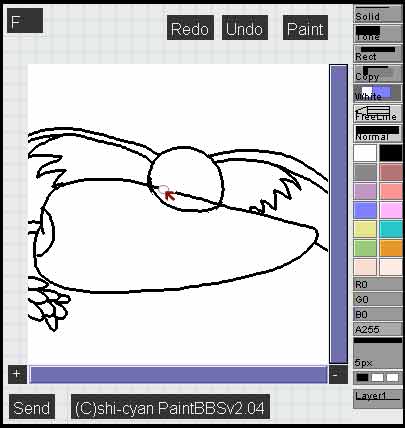
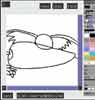 First,
we start out with some basic lineart. Here, you'll see
Ryo-ohki is merrily munching a carrot. Cliché
but effective ^_^ Anyway, I'm drawing with the freeline
tool at 3 pixels width on Layer 1. First,
we start out with some basic lineart. Here, you'll see
Ryo-ohki is merrily munching a carrot. Cliché
but effective ^_^ Anyway, I'm drawing with the freeline
tool at 3 pixels width on Layer 1. |
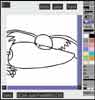 To
erase the overlapping line, I clicked on the White tool
and erased over the undesired lines. After that, I decided
to do a few minor changes to the lineart as well (visible
in the next illustration. To
erase the overlapping line, I clicked on the White tool
and erased over the undesired lines. After that, I decided
to do a few minor changes to the lineart as well (visible
in the next illustration. |
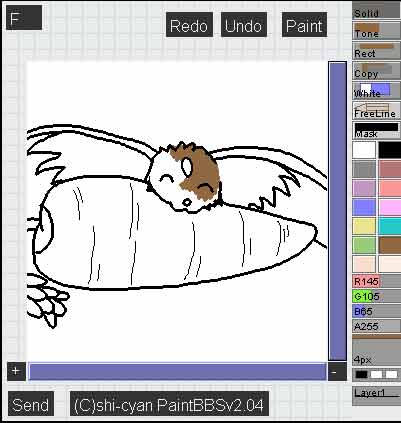
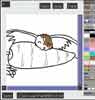 After
the desired changes were complete, I clicked on the
Normal button once to reach the Mask function. Mask
will protect your black lines from being drawn over.
With Mask on, I then proceeded to color on Layer 1 under
the lineart. After
the desired changes were complete, I clicked on the
Normal button once to reach the Mask function. Mask
will protect your black lines from being drawn over.
With Mask on, I then proceeded to color on Layer 1 under
the lineart. |
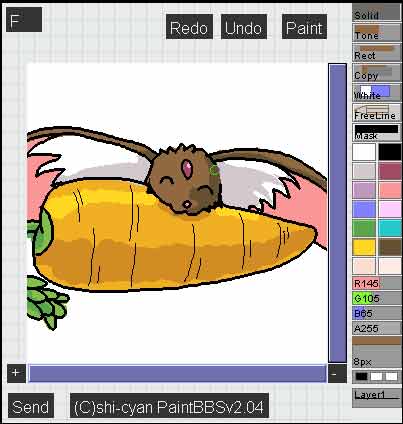
 I
finished coloring and shading the piece, using the Solid
tool. I touched up any glaring mistakes and got ready
to move to Layer 0 to draw in the background. I
finished coloring and shading the piece, using the Solid
tool. I touched up any glaring mistakes and got ready
to move to Layer 0 to draw in the background. |
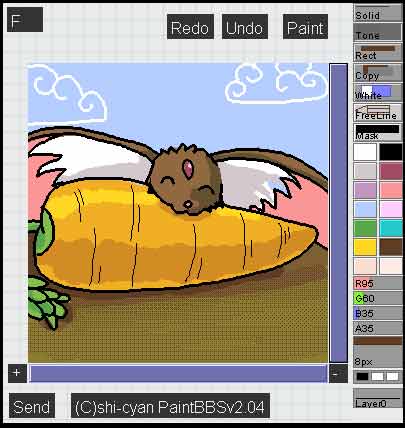
 Now
on the bottom layer, I colored the sky and the ground
with the solid line tool. To cover an area more quickly,
you can use a bigger pixel size or if you have one large
area to color at once, you can use the Paint funciton.
Make sure that all of your foreground picture is colored
in or else colors on the bottom layer will show through. Now
on the bottom layer, I colored the sky and the ground
with the solid line tool. To cover an area more quickly,
you can use a bigger pixel size or if you have one large
area to color at once, you can use the Paint funciton.
Make sure that all of your foreground picture is colored
in or else colors on the bottom layer will show through. |
|
 For
some texture effects on the ground, I used the Tone
tool at various coverage settings with a dark brown
color. As to be expected, a lighter tone coverage
pattern will not color over a darker tone coverage
pattern, so it's usually best, with tones, to work
from light to dark. For
some texture effects on the ground, I used the Tone
tool at various coverage settings with a dark brown
color. As to be expected, a lighter tone coverage
pattern will not color over a darker tone coverage
pattern, so it's usually best, with tones, to work
from light to dark.
Now all that's left is to clean up any mistakes,
sign the picture, and then send it. Congratz! That's
lesson 1. If you're new to oekaki, practice this lesson
a few times just to reinforce what's been taught.
If you'd like, try coloring with the watercolor tool,
or with just tones. Remember, if you make any mistakes,
use the Undo button or the White eraser function.
Good luck!
|
|


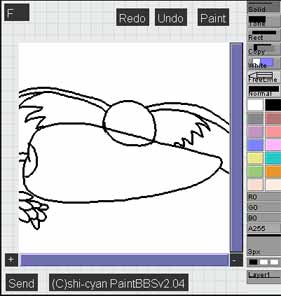

 1
1

